LATERAL VALUE SYSTEM
HOW IT WORKS
5 simple steps to go from your artwork to clear, readable areas on skin. Learn the workflow and get the most out of LATERAL.

01PREPARE YOUR ARTWORKBest practices to get clean results
and work in the right way.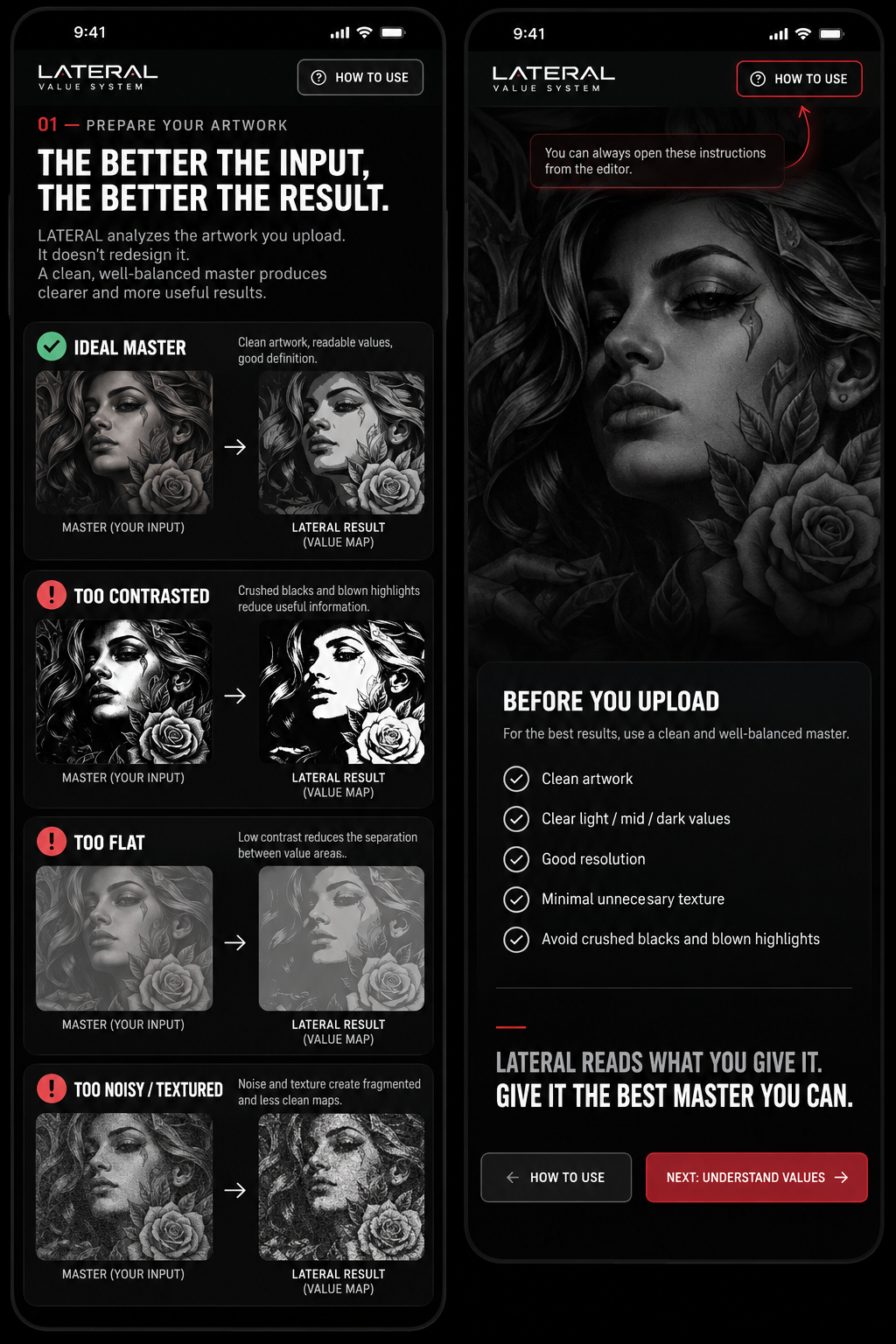 ›
02CREATE YOUR STENCILTurn your artwork into a clean,
readable stencil.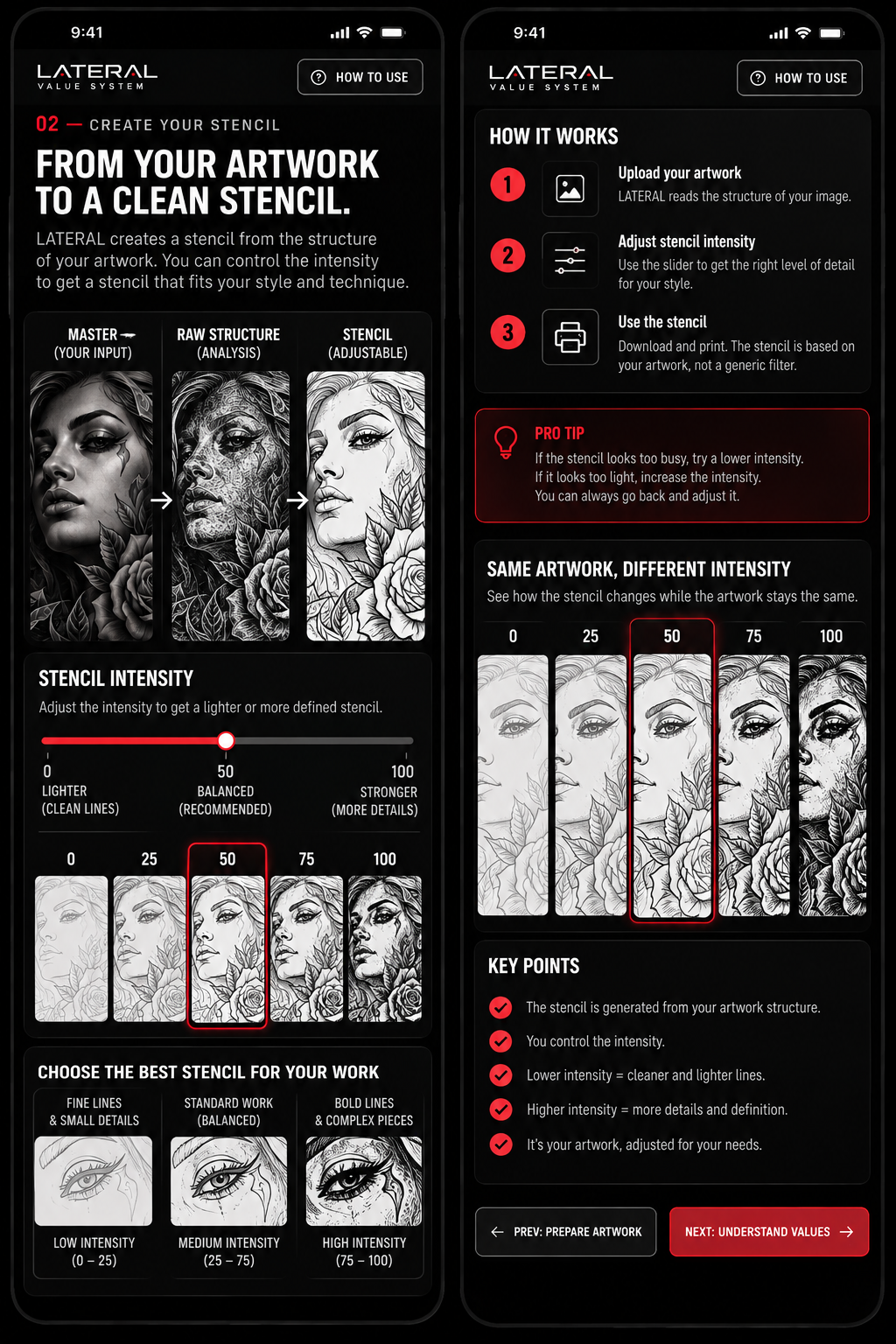 ›
03UNDERSTAND VALUESLearn how 100%, 80%, 60%, 40%
and 20% build the form.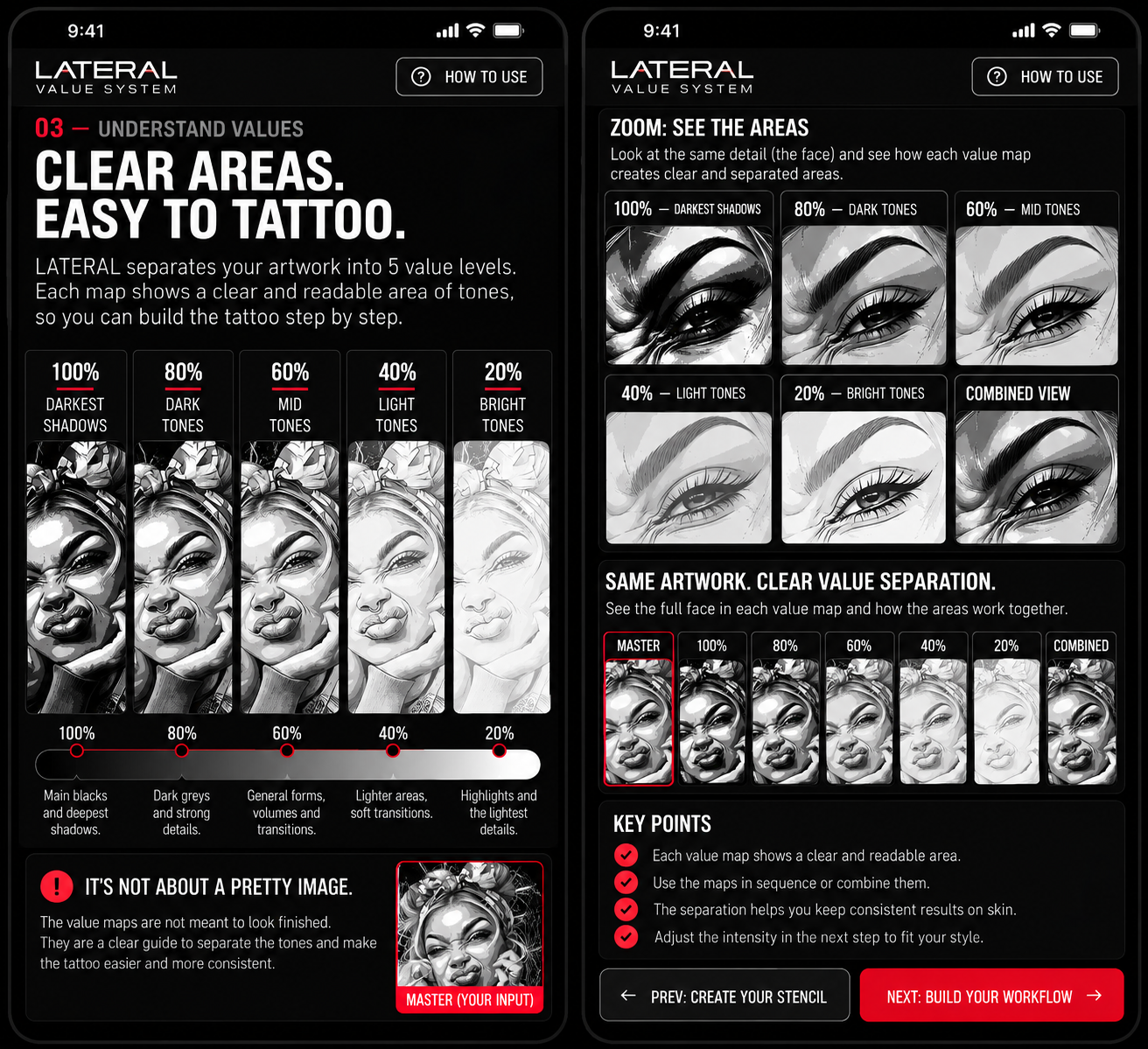 ›
04BUILD YOUR VALUE MAPUse the sliders to set clear
and tattooable areas.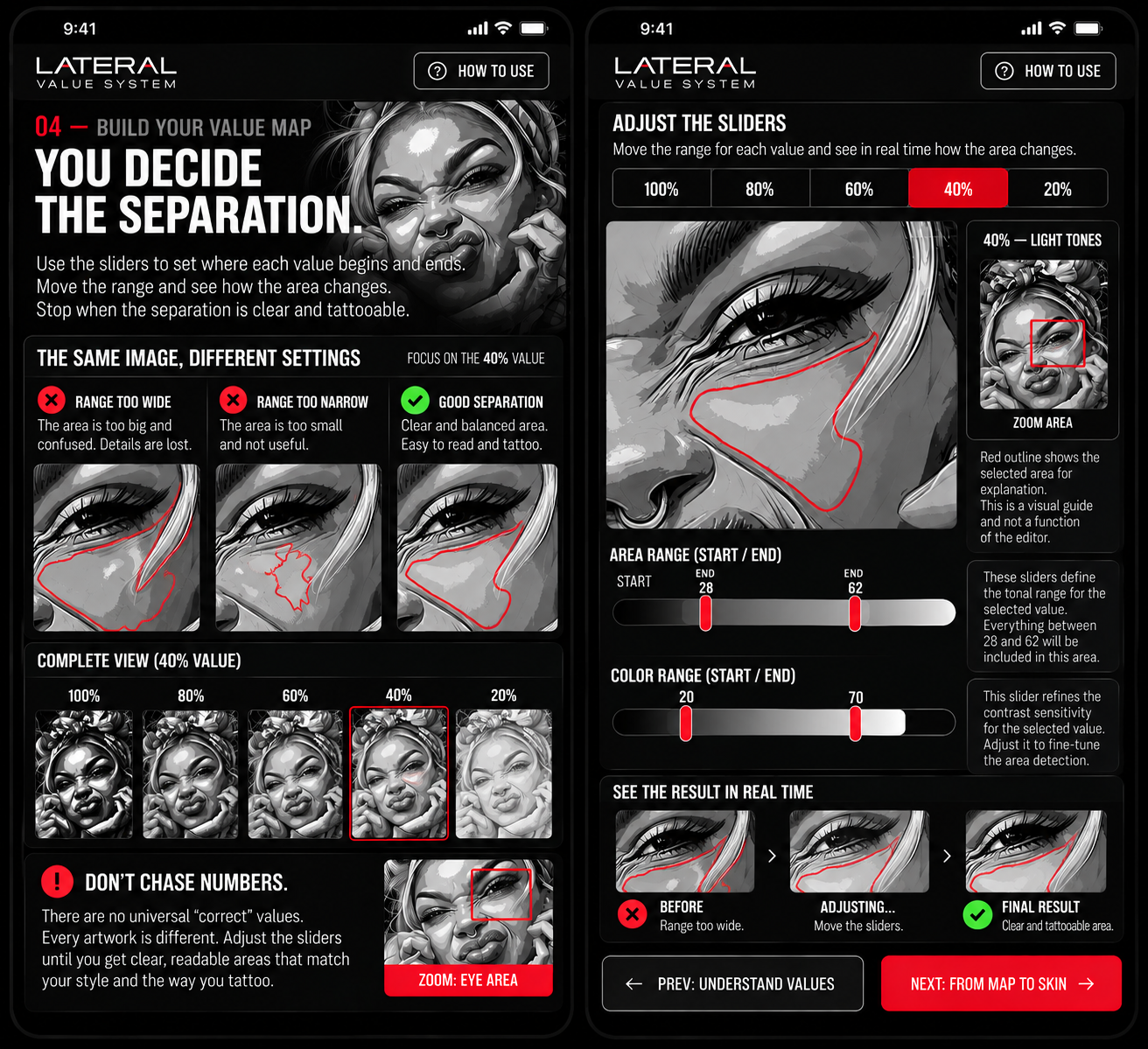 ›
05FROM MAP TO SKINSee the area. Match the value.
Build the form on practice skin.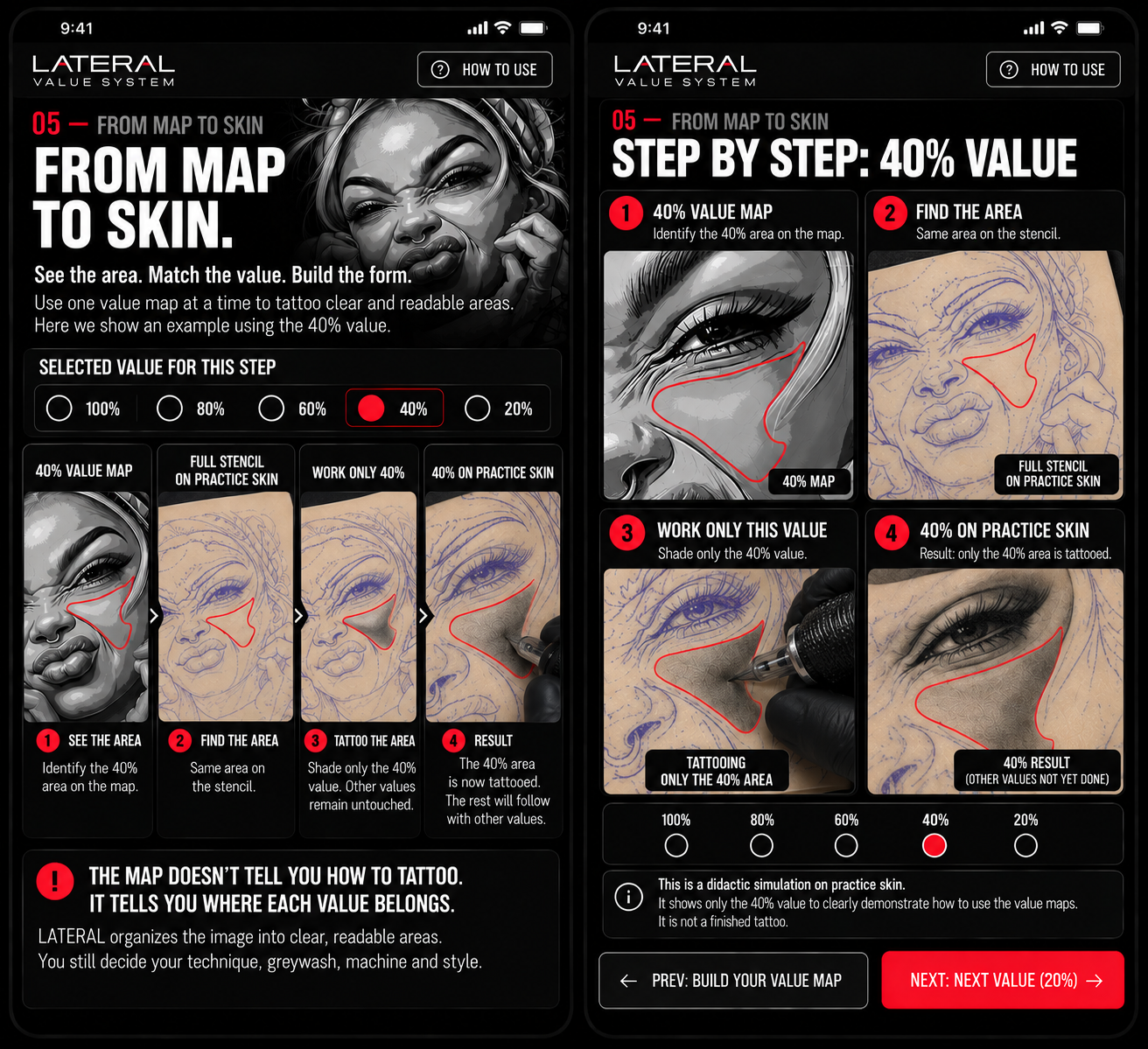 ›
and work in the right way.
›
02CREATE YOUR STENCILTurn your artwork into a clean,readable stencil.
›
03UNDERSTAND VALUESLearn how 100%, 80%, 60%, 40%and 20% build the form.
›
04BUILD YOUR VALUE MAPUse the sliders to set clearand tattooable areas.
›
05FROM MAP TO SKINSee the area. Match the value.Build the form on practice skin.
›01 — PREPARE YOUR ARTWORKTHE BETTER THE INPUT,
THE BETTER THE INPUT,
THE BETTER THE RESULT.
LATERAL analyzes the artwork you upload. It doesn’t redesign it. A clean, well-balanced master produces clearer and more useful results.
LATERAL READS WHAT YOU GIVE IT.
GIVE IT THE BEST MASTER YOU CAN.
02 — CREATE YOUR STENCILFROM YOUR ARTWORK
FROM YOUR ARTWORK
TO A CLEAN STENCIL.
LATERAL creates a stencil from the structure of your artwork. You control the intensity to fit your style and technique.
03 — UNDERSTAND VALUESCLEAR AREAS.
CLEAR AREAS.
EASY TO TATTOO.
LATERAL separates your artwork into 5 value levels. Each map shows a clear area of tones so you can build the tattoo step by step.
04 — BUILD YOUR VALUE MAPYOU DECIDE
YOU DECIDE
THE SEPARATION.
Use AREA to set where the selected value begins and ends. Use COLOR to change how that value is displayed. Stop when the separation is clear and tattooable.
05 — FROM MAP TO SKINSEE THE AREA.
SEE THE AREA.
MATCH THE VALUE.
BUILD THE FORM.
Use one value map at a time. This example follows only the 40% value.
100 ○80 ○60 ○40 ●20 ○